
One Held Button Runs Your Whole Partnership
The partner menu is GTA 6’s command hub for Jason and Lucia, and the game only teaches it once, briefly, in Chapter 2. Hold Right on the D-Pad and a small wheel appears in the bottom-right corner with both portraits. From that one menu you switch characters, call your partner to you, split up, hand over the driving and set up robberies as a pair.
Everything in this guide comes from post-launch coverage of the released game — GTABase’s control scheme, Polygon, VGC, KeenGamer and GamesRadar-sourced reporting — and where outlets disagree on a detail, that disagreement is flagged rather than smoothed over.
If you want the relationship side of the system first, our explainer on how Jason and Lucia work as dual protagonists covers the design, while this page stays on the buttons and what each command actually does.
Key Takeaways
- Hold Right on the D-Pad to open the partner menu. A tap of Right instead detonates placed explosives, so the hold matters.
- Press R1 on PS5, or RB on Xbox, inside the menu to switch to the other character. Press Triangle, or Y, to meet up or summon your partner.
- Free switching, which the game calls Partner Freeroam, unlocks in Chapter 2 — most guides place it around Breakfast Run and Coffee Break.
- Near your personal vehicle, the menu carries the You Drive order: your partner takes the wheel and drives to your marked destination.
- Before and during robberies, the same menu sets your partner as getaway driver waiting in the car, or calls them inside as backup.
- Split Up sends your partner away — and splitting during a police search is a genuine escape tool, because police track the pair as well as each person.
Part 1 — Opening the Menu and Switching Characters
GTABase’s controls guide, taken from the game’s own scheme screens, lists the partner menu as a held Right on the D-Pad, described as the way to talk and interact with your partner. Switch Character sits on the same hold plus R1 on PS5, or RB on Xbox.
KeenGamer’s launch guide adds the warning every new player needs: hold the button, do not tap it. A single press of Right detonates explosives you have placed, so the menu only appears on a deliberate hold.
When the menu opens, time slows and both portraits appear in the bottom-right corner. The highlighted portrait is who you are playing. Each portrait also carries a small icon for that character’s Criminal Profile level, which matters when one of you is hotter with the police than the other.
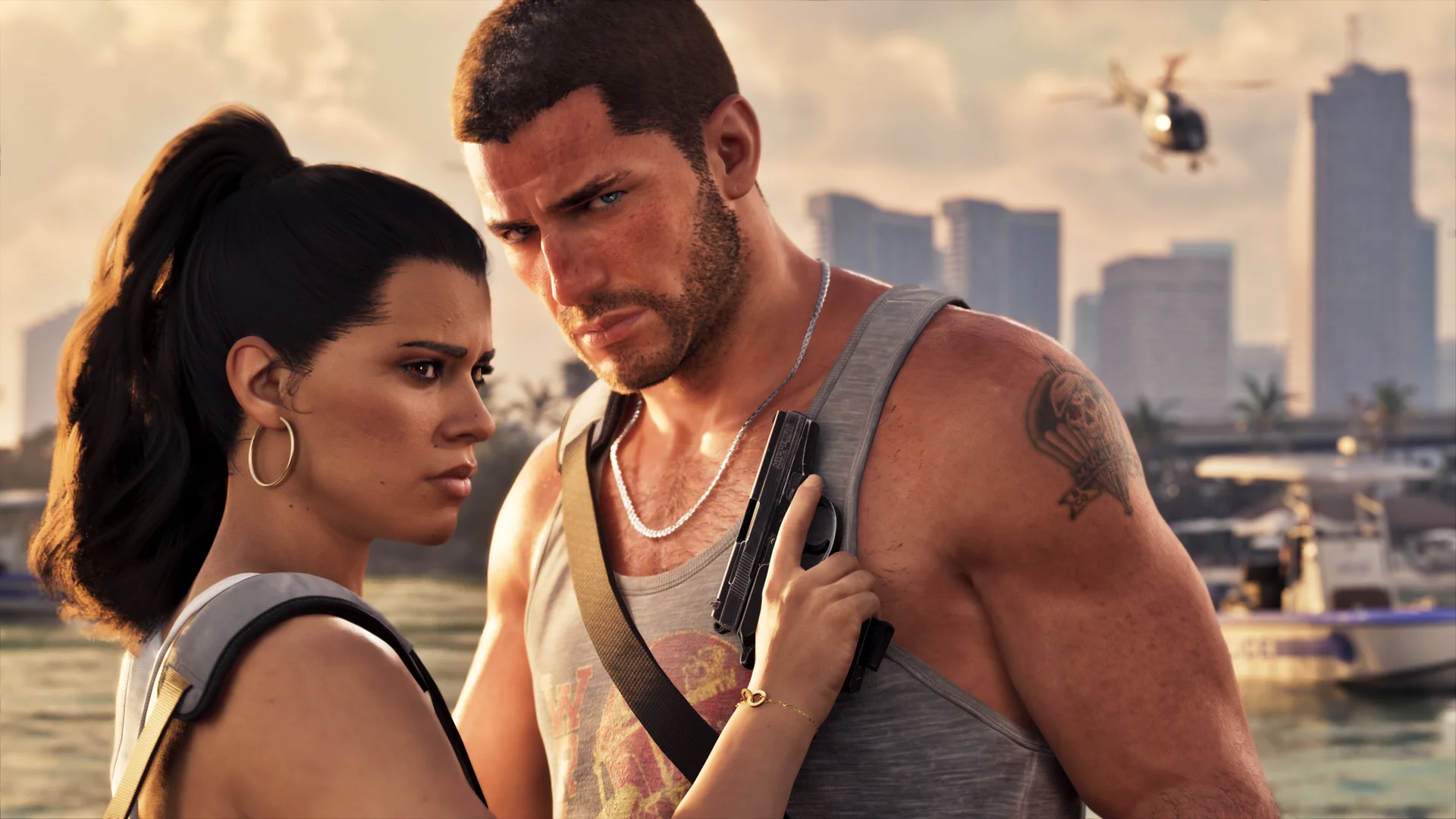
If the pair are together, the switch is instant — in a car you simply trade seats. If they are apart, expect the familiar aerial transition as the camera crosses Leonida to wherever your partner currently is.
Part 2 — When It Unlocks, and Why a Portrait Is Greyed Out
You cannot switch freely from the start. The prologue and Chapter 1 assign your character by mission: Lucia opens the game, Jason carries most of Chapter 1 after Gone Fishing, and the story hands control back and forth on its own terms.
Free switching arrives in Chapter 2 under the name Partner Freeroam. Guides differ slightly on the exact mission — Polygon places it after Breakfast Run, roughly halfway through the chapter, while Eurogamer’s playthrough, reported by other outlets, had it unlock during Coffee Break just after. Treat the window, rather than one mission name, as the reliable part: early-to-mid Chapter 2.
After the unlock, a greyed-out portrait means that character is unavailable for an in-game reason. VGC’s guide lists the usual causes: they are tied up in another mission, the story needs you as the other character, or the partner you just left has called a RydeMe and left the area, which can grey the menu out briefly.
Character-locked missions stay locked even after Partner Freeroam opens. Map icons marked for one character need that character, which our look at whether Jason and Lucia are a couple touches on from the story side — the game treats their bond as a system, not just a plot point.
Part 3 — Meet Up, Summon and Check In
Press Triangle on PS5, or Y on Xbox, inside the partner menu and your partner comes to you. Polygon describes the result: they usually arrive within a few seconds, and if you are lucky they bring a car with them. If you have a destination set, guides report they will head there instead.
The phone does the same job more slowly. Open Contacts and call your partner, or message them on the WhatUp app. Several guides note that checking in regularly through WhatUp — look for the blue icon on their profile picture — improves your relationship status over time.
When you are together, hold L2 on PS5, or LT on Xbox, while facing your partner. That focus input opens conversation and lets you share items you are holding, such as food and drink, which is a small interaction with real buff value before a job.

The character you are not playing does not freeze in place. They live their own routine — at home, out shopping, on the road — so a meet-up is a moving target. That is also what makes the switch a free fast-travel trick: swap to a partner who is already where you want to be, then summon the other one to join you there.
Part 4 — You Drive, Speed Orders and Splitting Up in a Chase
Near your personal vehicle, hold Right and the menu offers the order players shorten to You Drive. Your partner takes the wheel, you climb into the passenger seat, and you set the destination on the map. They drive; you are free to use your phone, watch the world, or lean out and shoot.
While they drive, holding Right again reportedly lets you tell them to speed up or slow down. That detail comes from launch guides summarising the system rather than the scheme screens, so treat the exact wording of those pace orders as reported.
Splitting up lives in the same menu. Choose it and your partner leaves, taking the vehicle with them if you send them off in it. During a police search this is a real tactic: coverage of the wanted system notes that police can recognise Jason and Lucia as a couple, so separating removes one of the identifiers they are tracking.
You can also do the chase split manually. Swap characters mid-pursuit and you jump from driver to passenger while your partner keeps the car moving under AI control — the fastest way to go from steering to shooting without stopping.
Part 5 — Robbery Orders: Getaway Driver or Backup
Robberies are where the partner menu earns its keep. Location icons on the map show a security level when you hover over them, and at medium or high security, solo runs get rough. Bring your partner.
Before the job, hold Right and set the plan. Your partner can wait in the car as the getaway driver, which saves the seconds that matter when the police response starts, or come inside with you from the start.

Once a robbery is under way, the same hold calls your partner in from the car as backup. Guides also describe handing over a weapon if your partner needs one, and throwing stash bags across to them — each character can only carry two bags at a time, so sharing the load is how a pair cleans out a bigger target.
If a guard or cashier is being threatened at gunpoint, your partner reportedly backs you up automatically and covers them while you work the room. That behaviour is described by launch guides rather than the control scheme, so file it under reported, but it matches how the pair are meant to function: one pair of hands looting, one pair watching the door. Our breakdown of how character switching works covers the swap itself in more depth if the menu still feels new.
Frequently Asked Questions
How do you open the partner menu in GTA 6?
Hold Right on the D-Pad. The menu appears in the bottom-right corner with both character portraits. Hold it rather than tapping — a tap of Right detonates placed explosives instead.
How do you switch characters from the partner menu?
While holding Right on the D-Pad, press R1 on PS5 or RB on Xbox. If Jason and Lucia are together the swap is instant; if they are apart, a short aerial transition takes you to your partner’s location.
When does the partner menu unlock in GTA 6?
Free switching, called Partner Freeroam, unlocks in Chapter 2. Most guides place it around the Breakfast Run and Coffee Break missions, roughly halfway through the chapter. Before that, the story assigns your character.
How do you summon your partner in GTA 6?
Open the partner menu with a held Right on the D-Pad and press Triangle on PS5 or Y on Xbox. Your partner travels to you, usually within seconds and sometimes bringing a car. You can also call them from the Contacts app on your phone.
What does the You Drive order do in GTA 6?
Near your personal vehicle, it puts your AI partner behind the wheel. You ride in the passenger seat, set the destination on the map, and they drive you there while you use your phone or shoot. Launch guides report pace orders to speed up or slow down on the same hold.
How do you split up in GTA 6?
Hold Right on the D-Pad and choose the split up option. Your partner leaves and goes back to their own routine. Splitting during a police search also helps you escape, because the police track Jason and Lucia as a couple as well as individually.
How do you set a getaway driver in GTA 6?
Before starting a robbery, hold Right on the D-Pad and set your partner to wait in the car. When you run, they are already at the wheel. The same menu can call them inside as backup instead if the job goes loud.
Why is my partner greyed out in GTA 6?
The character is unavailable for a story reason: they may be busy in another mission, the current mission is locked to the other character, or the partner you just left has called a RydeMe and left, which can grey out the menu briefly according to VGC’s guide.
Can your partner carry loot for you in GTA 6?
Yes, according to launch guides. Each character can carry two stash bags at a time, and you can throw bags to your partner during a robbery so the pair can move more loot than either could alone.
Does checking in with your partner do anything in GTA 6?
Guides report that regular check-ins, including WhatUp messages when the blue icon appears on your partner’s profile, improve your relationship status. Time spent together — driving, activities, even holding hands — is also reported to build it.
Wrapping Up
Learn one hold and the whole partnership opens up: Right on the D-Pad switches, summons, splits, hands over the wheel and stages your robberies. Master the partner menu early in Chapter 2 and Jason and Lucia stop feeling like two separate saves and start playing like a crew of two.