
Three Codes, Three Different Problems
The PS5 codes appearing around GTA 6 at launch — CE-108255-1, CE-107891-6 and CE-108262-9 — are standard PlayStation codes, not codes invented for this game. Each one points at a different layer of your console, which is why copying a fix that worked for someone else’s code often does nothing.
CE-108255-1 means an error occurred with the game or application: in plain terms, the game crashed. CE-107891-6 means content is not installing properly on the console. CE-108262-9 means an error occurred while reading the system software or application data.
Work out which code you have before you touch anything. The fix order is different for each, and the heaviest steps, like a console reset, only belong at the very end of one of them.
Key Takeaways
- All three codes are general PS5 codes used by many games; none of them is GTA 6-specific.
- CE-108255-1 is a crash code: update the game first, then the system software, then rebuild the database.
- CE-107891-6 is an install code: PlayStation’s fix is to uninstall the content and reinstall it cleanly.
- CE-108262-9 is a data-reading code with a five-step official order ending in a console reset, so back up first.
- Players report GTA 6’s pre-launch update, version 01.002.001 at roughly 602 MB, cleared CE-108255-1 for many.
- Deleting a game on PS5 does not delete its saved data, but a console reset erases everything, so back up before it.
- If a code appears in several games, suspect the console, not GTA 6, and contact PlayStation Support.
Part 1 — CE-108255-1: The Game Crashed
PlayStation lists CE-108255-1 as “an error occurred with the game/application,” and it appears when a game closes unexpectedly and drops you back to the home screen. It is the code most GTA 6 players are seeing, usually at launch or during play.
PlayStation’s order starts with updates. Highlight GTA 6 on the home screen, press Options and choose Check for Update, then update the system software under Settings, System, System Software. Players report that GTA 6’s pre-launch update, version 01.002.001 at about 602 MB, cleared this code for many pre-load copies, so make sure it has actually installed.
If the code returns, delete the game and reinstall it, then boot into Safe Mode and rebuild the database: console fully off, hold the power button to the second beep, connect the controller by USB, and choose Clear Cache and Rebuild Database, then Rebuild Database.
If it still returns after all of that, PlayStation’s guidance points you to PlayStation Repairs and support. A code that follows you across several different games is the strongest sign the console itself needs attention.

Part 2 — CE-107891-6: The Install Did Not Land Properly
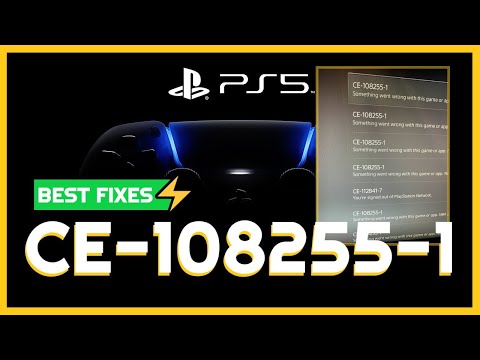
CE-107891-6 means content is not installing properly on your PS5. Under the surface it is a package check failure: the console compared what landed on the drive with what should have landed, and the two do not match.
That makes it an install problem, not a gameplay bug. It typically shows up during a download, an update, or when launching a game whose install or update was interrupted, and players often hit it with very large games where a long transfer has more chances to go wrong.
PlayStation’s official fix is short: uninstall the content causing the error and reinstall it, and if it still fails, try again later. Before you commit to that, restart the console fully and confirm the download had genuinely finished, because a paused or partial install can present the same way.
Two practical points matter with GTA 6’s size. First, check you have comfortable free space under Settings, then Storage, since a cramped drive invites failed installs; our breakdown of how much storage GTA 6 needs covers the real numbers. Second, if you copied the game from an external USB drive, reinstall directly to the internal storage instead of copying it again.
Part 3 — CE-108262-9: The Console Cannot Read Its Own Data
CE-108262-9 means an error occurred while reading the system software or application data. PlayStation publishes a five-step order for this code, and it is worth following exactly as written.
Step one: update the PS5 system software to the latest version. Step two: if the error appears after starting the game, delete it from Settings, then Storage, and reinstall it.
Step three: start the console in Safe Mode and select Clear Cache and Rebuild Database, then Rebuild Database. Step four: if it keeps happening, reset the console under Settings, System, System Software, Reset Options, Reset Your Console. PlayStation warns plainly that resetting erases all data on console storage, so back up first if you possibly can.
Step five: after the reset, install the game again. If the error still keeps happening after the full order, PlayStation’s advice is to try again later and, in practice, to contact support, because you have exhausted the published self-help steps.
Part 4 — Matching the Code to Your GTA 6 Moment
The moment the code appears tells you which part of this guide applies. A code during or right after the download or its update is almost always CE-107891-6 territory: fix the install, not the game.
A code that appears while playing, especially at the same checkpoint or cutscene every time, fits CE-108255-1. Work the update and database steps, and note the exact spot, because a crash that repeats at one scripted moment is the most useful kind to report.
A code that appears at different, random moments, or while the console is doing other things, fits CE-108262-9’s data-reading problem better. That randomness is exactly why its official order ends with a console reset rather than another reinstall.
For the wider family of launch failures — padlocks, stuck downloads and games that will not start at all — our download and install errors guide covers the non-code problems, and our launch problems and fixes hub ties the whole set together.
Part 5 — Protecting Your Saves While You Fix Things
Most steps in this guide are safe for your progress. Updating, restarting, restoring licences and rebuilding the database do not touch saved data, and deleting the game itself leaves PS5 saved data in place.
The exception is the console reset at the end of the CE-108262-9 order, which erases everything on the console storage. Before you go near it, upload your GTA 6 saves to cloud storage if you have PlayStation Plus, or copy them to a USB drive.
Backing up first also protects you against the one genuinely bad outcome in launch-week troubleshooting: fixing the error and losing a long story save in the process. Ten minutes of backing up beats replaying ten hours.
If you finish the order for your code and it still returns, stop repeating the loop. Send PlayStation Support the code, your console model, the game version and the moment it appears. That record is what turns a generic code into a diagnosable case.
Part 6 — The Other Codes: Downloads, the Network and Your Licence
The three codes above are the ones GTA 6 players met first, but they are not the whole list. The codes below all come from PlayStation’s own support pages, with PlayStation’s own meanings and fixes. If your code is an Xbox one instead, our guide to Xbox error codes in GTA 6 covers that side.
CE-100095-5 — there was an issue when starting the application. PlayStation’s fix is to highlight the game, press Options and delete it, then reinstall it, keeping the console powered on while the installation runs.
CE-107622-8 — failed to launch the application. The update file may not have been applied properly when the app was started. Restart the PS5 and launch again; if nothing improves, PlayStation treats the game data as corrupted — delete it and reinstall.
CE-107928-7 — a download stopped on your console. Delete the game from the Home screen and download it again, without turning the console off mid-download. If it repeats, test the connection under Settings, Network, Connection Status, and restart the modem and router after five minutes off.
CE-106487-6 — there was an issue downloading and installing content. Update the system software first, then restore licences under Settings, Users and Accounts, Other. Still stuck: delete the download and retry, then clear the cache and rebuild the database in Safe Mode.
NW-102216-2 and CE-105799-1 — the console cannot reach the network or the server. Check the PlayStation status page first, then use a wired connection if you can. Power the router down for at least five minutes, and if wireless is your only option, move the console closer and clear obstructions.
NW-102417-5 — the connection timed out. PlayStation runs the same network sequence — status page, restart, wired where possible, router off for five minutes — then adds router firmware, open ports, a manual static IP and a temporary public DNS. If everything checks out, the line is likely just busy: wait and retry.
CE-109245-1 and NP-104291-7 — the licence cannot be confirmed. Restart, and make sure you are signed in with the account that owns the game. For CE-109245-1, PlayStation also asks you to enable Console Sharing and Offline Play. For NP-104291-7 on a just-released title, waiting a while is part of the official advice.
CE-105638-3 — content activation failed. Restart the console, run the internet connection test and review your network settings, then restart the router. Enabling Console Sharing and Offline Play under your account is also on PlayStation’s list, and the fault can simply be temporary.
Frequently Asked Questions
What does CE-108255-1 mean in GTA 6?
It means an error occurred with the game or application — the game crashed and closed. It is a general PS5 crash code used by many games, not a GTA 6-specific fault. PlayStation’s first fix is to update the game, then the system software.
How do I fix CE-108255-1?
Update GTA 6 and the PS5 system software, then restart. Players report the pre-launch update 01.002.001, about 602 MB, cleared it for many. If it returns, delete and reinstall the game, then rebuild the database in Safe Mode. If it persists everywhere, contact PlayStation Support.
What does CE-107891-6 mean?
It means content is not installing properly on the console. The installed package failed the console’s integrity check, usually after an interrupted download, update or drive copy. PlayStation’s fix is to uninstall the content and reinstall it cleanly.
Why does CE-107891-6 happen with big games like GTA 6?
Long downloads and transfers have more chances to be interrupted, and GTA 6 is a very large install. A paused update, a lost connection or a copy from an external drive can all leave a package that fails its check. Reinstalling directly to internal storage is the cleanest fix.
What does CE-108262-9 mean?
It means an error occurred while reading the system software or application data. PlayStation’s order is: update the system software, delete and reinstall the game, rebuild the database in Safe Mode, reset the console if it persists, then install the game again.
Does rebuilding the database delete anything?
No. Rebuild Database scans the drive and rebuilds the console’s index of its content. It does not delete games, apps or saved data. The destructive step in these guides is Reset Your Console, which erases everything and should only follow a backup.
Will deleting GTA 6 delete my story progress?
No. On PS5, deleting a game removes the game files and leaves saved data in place. You can reinstall and continue. Back up to cloud storage or USB anyway before any reinstall or reset, so a mistake costs you nothing.
What does NW-102216-2 mean on PS5?
An error occurred while connecting to PlayStation. PlayStation’s fixes are to check its status page, use a wired connection if you can, move the console closer to the router on wireless, and restart the router after at least five minutes off.
What if I get one of these codes in other games too?
That pattern points at the console rather than GTA 6: system software, storage or hardware. Complete the order for your code, and if it continues across titles, contact PlayStation Support or PlayStation Repairs instead of reinstalling GTA 6 again.
Should I restore licences for these codes?
It is not part of PlayStation’s published order for these three codes, but it is quick and harmless: Settings, Users and Accounts, Other, Restore Licences. It is worth doing for digital copies when a game will not launch at all, since licence glitches can sit behind launch failures.
Final Verdict
Read the code before you fix the code. CE-108255-1 wants updates and a database rebuild, CE-107891-6 wants one clean reinstall, and CE-108262-9 wants PlayStation’s five steps in order with a backup before the reset. Do that, and nearly every GTA 6 player hitting these codes will be back in Leonida without losing a save.