
The Floor Is Optional, Apparently
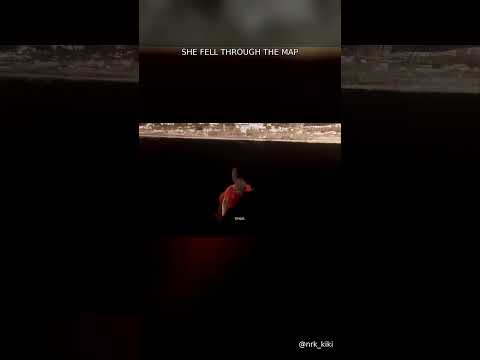
Falling through the map is the most common launch bug GTA 6 players are reporting. Characters drop through the ground, sink into furniture and slide inside walls, in clips shared from the prologue onwards — and if it has just happened to you, the good news is that it usually fixes itself.
In many reported cases the game notices and puts the character back where they were within moments. When it does not, the recovery ladder is short: wait, reload the checkpoint, restart the mission, restart the game. Nothing on that ladder costs you your save.
Rockstar had not published a known-issues note covering these falls at the time of writing, so everything here is built from what players and launch coverage have documented. Treat the patterns as reported behaviour, and expect a future patch to change them.
Key Takeaways
- Falling through the map is described in launch coverage as the most common player report of GTA 6’s first days.
- Most falls resolve on their own: the game respawns the character near where they dropped.
- If you fall endlessly, reload the checkpoint first, then restart the mission, then restart the game.
- A character clipped into a wall or couch during a fight often frees itself when the fight ends, so let it play out.
- Free character switching is locked early in the story, so it is not an early-game escape hatch.
- Manual saves protect you: the game has 15 manual slots plus an autosave, and autosave does not fire mid-mission.
- A short clip, your console and the mission name make a Rockstar Support report actually useful.
Part 1 — The Falls Players Have Documented
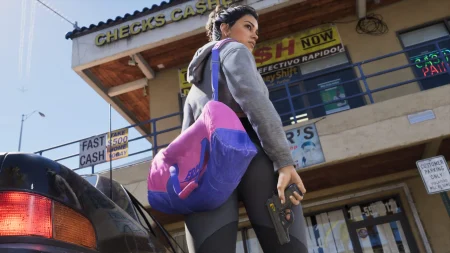
The best-known case happens in the prologue itself. In the flashback escape, Lucia is tased during a scripted sequence near a scooter, and in some players’ copies the fall drops her through the ground instead. She falls beneath Leonida until the game returns her to the police and the scene continues.
A second documented pattern involves Jason and a tight space. A player who squeezed Jason between a car and a fence and then opened the in-game phone clipped straight through the world and kept falling, and in that report only restarting the game brought him back.
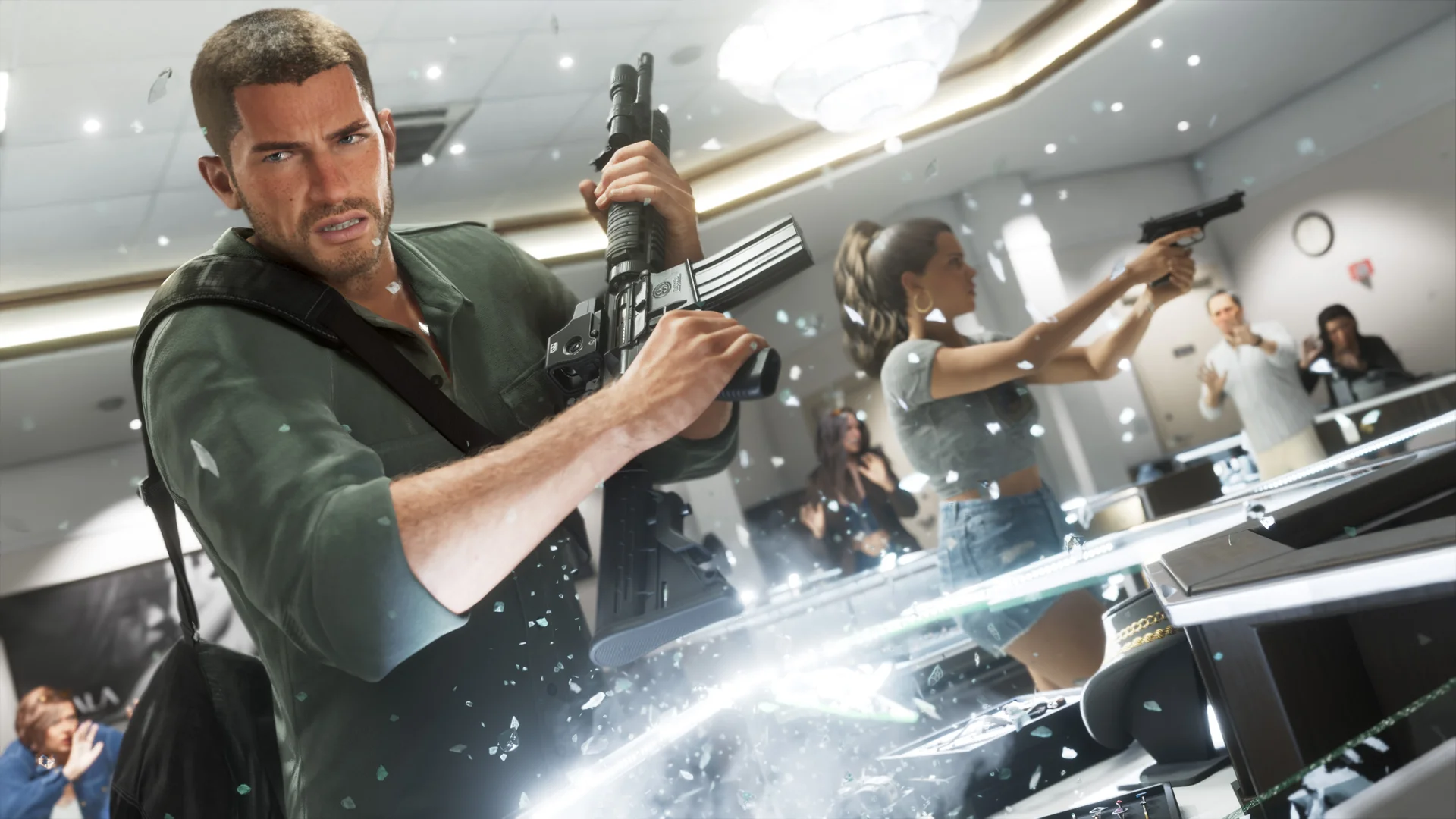
The third pattern is clipping rather than falling. In a widely shared clip, Jason and a police officer charging at each other merged, sank into a couch and rolled inside the furniture and wall for a few seconds before the officer was knocked out and Jason came free.
NPCs walking into walls and objects popping through scenery are also being reported, but those are cosmetic. They look broken without trapping you, and they need no action at all.
Part 2 — What to Do in the First Minute
First, wait. If the screen shows you falling beneath the world, give the game a short while before pressing anything drastic. In the prologue case and many free-roam reports, the game detects the fall and respawns the character at street level on its own.
If you are clipped into a wall, couch or another character rather than falling, also wait. The documented couch case resolved itself when the fight ended, and mashing inputs rarely improves a physics tangle. Let the encounter finish and you will often simply pop back out.
If the pause menu opens, you have better tools. Reloading the last checkpoint is the cleanest recovery and costs only the moments since that checkpoint. Our guide to how saving works in GTA 6 explains where checkpoints, autosaves and manual saves each sit, so you know what a reload will cost before you choose it.
Switching characters sounds like an escape, but early in the story the other character is locked and greyed out, so it will not rescue a prologue fall. It becomes an option later, once free switching unlocks partway into Chapter 2, and even then only when the game allows a switch at that moment.
Part 3 — When Waiting Does Not Work
If you have fallen for a long stretch with no respawn, stop waiting. Reload the checkpoint from the pause menu if it opens. If the menu will not open or the reload changes nothing, restart the mission.
If you are in free roam rather than a mission, close the game fully and relaunch it. The documented phone-in-a-tight-space fall needed exactly that: a full restart put the character back at the spot where the fall began.
After any recovery, check your bearings before you move on. Confirm the mission objective is showing again, and if you are replaying from a checkpoint, expect any loot or cash picked up after that checkpoint to be gone.
Falls that repeat at the exact same spot are worth treating differently. Avoid re-triggering the same action the same way — the same tight gap, the same scripted beat — until you have saved, because a repeatable fall is a bug with an address, and that address belongs in a support report.
Part 4 — Protecting Your Progress From the Next Fall
The players hurt worst by launch bugs are the ones relying on autosave alone. Autosave does not fire mid-mission, and the save menu does not surface autosaves the way players expect — they are reached through Load Game instead.
Build a simple habit instead. The game offers 15 manual save slots plus the autosave, so keep a rotating pair of manual saves at a safehouse and save before any mission you cannot afford to replay. Our prologue walkthrough marks where the opening’s beats fall, which is where an early manual save habit starts.
If a fall corrupts your sense of where you are in a mission, loading the older manual save is nearly always better than pushing on with a confused objective list. And if you need to cross the map quickly after a recovery, fast travel in GTA 6 covers the legitimate ways back, from taxis to the character-swap shortcut once it unlocks.
Part 5 — Reporting It So It Gets Fixed
A fall you report well is a fall a patch can target. Capture the clip if your console recorded one, and note your console model, the game version, the mission or location, and the last thing you did before the ground gave way.
Send it through Rockstar Support: open the Grand Theft Auto VI area on the support site and choose Submit a Request, picking the category that matches a gameplay bug. Include the clip and the steps that led to the fall, in order.
The community megathreads ask for the same details — console, game version and a description, with screenshots or clips encouraged — so a report written for one audience works for the other. One report per fall is enough; duplicates do not speed anything up.
What not to do: do not delete your saves, do not reinstall the game over a single fall, and do not go hunting for the same gap in the world to test it repeatedly before you have saved. None of those helps, and the last one can cost you real progress.

Frequently Asked Questions
Why does my character fall through the map in GTA 6?
It is a collision problem: for a moment the game stops treating the ground as solid, and the character drops through. Launch reports tie it to scripted moments, tight spaces and physics tangles rather than to anything the player did wrong. It is reported behaviour, not a confirmed single bug.
Will the game rescue me if I fall forever?
Often, yes. In the best-documented prologue case the game returned Lucia to the scene after the fall, and many free-roam falls end with a respawn at street level. If you have fallen for a long stretch with no rescue, reload the checkpoint instead of waiting longer.
What is the fastest fix when I clip through the world?
Wait first, because most cases resolve in seconds. Then reload the checkpoint from the pause menu. Restart the mission next, and fully restart the game if the fall happened in free roam or the menu will not open.
Can I fast travel or switch character to escape a fall?
Only if the game lets you open the relevant menu, and early on it usually will not. Free character switching is locked until partway into Chapter 2, and a falling character rarely gets menu access. Treat checkpoint reloads as the real escape and switching as a bonus when it happens to be available.
I am stuck inside a wall, not falling. What should I do?
Let the moment play out. In the documented police-station case, Jason and an officer clipped into a couch and wall during a fight and came free when the officer was knocked out. If nothing changes after the encounter ends, reload the checkpoint.
Does falling through the map delete my progress?
No. A fall itself does not touch your saves. You can lose whatever you did after the last checkpoint if you reload, which is why manual saves at a safehouse are the best insurance. The game has 15 manual slots plus an autosave.
Is the prologue scooter fall a bug or part of the story?
Both layers exist. Being caught there is scripted and always happens; dropping through the ground during it is the bug. If the fall version happens, the game should return you to the police so the scene can finish. If it does not, restart the mission.
How do I report a fall to Rockstar?
Use Submit a Request in the Grand Theft Auto VI area of Rockstar Support. Include your console model, game version, the mission or location, the steps just before the fall, and a clip if you have one. Those details are what make a report reproducible.
Should I reinstall GTA 6 because of one fall?
No. A single fall is a momentary physics failure, not damaged game files. Reinstalling costs a very large download and is aimed at install and crash problems. Save reinstalls for repeated crashes or error codes.
Will a patch fix falling through the map?
Rockstar had not published known-issues notes for these falls at the time of writing, and no fix date has been announced. Launch bugs of this kind are normally addressed in early patches, but until Rockstar says so, that is an expectation, not a promise.
The Takeaway
A fall through Leonida feels dramatic and is usually harmless: wait for the respawn, reload the checkpoint if it never comes, and restart the game if the menu is gone too. Save manually and often, report the repeatable ones with a clip, and leave your saves and your install alone — the floor will be patched long before either needs replacing.