The Short Answer: Nothing Confirmed, Plenty of Precedent
Rockstar has not confirmed anything about how saving works in GTA 6 — not the autosave, not manual saves, not save slots, and not cross-save. There is no support page, no menu screenshot and no official word of any kind on the subject.
What we can do is read the precedent. GTA V and Red Dead Redemption 2, Rockstar’s two most recent big games, both mix automatic saving with manual saves in separate slots. GTA 6 will most likely follow the same pattern — but “most likely” is an expectation based on those games, not a confirmed feature of this one.
Key Takeaways
- Rockstar has confirmed nothing about GTA 6’s save system — every detail below is precedent from GTA V and Red Dead Redemption 2, not confirmation
- Both games autosave after missions and key moments, and both let players save manually into separate slots
- GTA Online saves automatically to Rockstar’s servers; there is no save button
- Cloud backups come from your console: PS Plus cloud storage on PS5, free automatic cloud saves on Xbox
- Cross-save and cross-progression for GTA 6 have not been announced either way
Part 1 — What Rockstar Has Actually Said
Almost nothing. Rockstar has confirmed GTA 6’s release date, its platforms and its two protagonists, but the save system has never appeared in a trailer, a Newswire post or a support article. Nobody outside the studio has seen the game’s save menu.
That silence is normal, not suspicious. Save systems are plumbing, and Rockstar rarely details plumbing before launch. Our standing guide to what is confirmed versus rumoured in GTA 6 puts saving firmly in the unknown column, and any site presenting a GTA 6 slot count or autosave trigger list as fact is guessing.
So the honest way to prepare is to learn how Rockstar’s recent games handle it. The rest of this article does exactly that — and labels everything as precedent, every time.
Part 2 — Autosave: The Precedent
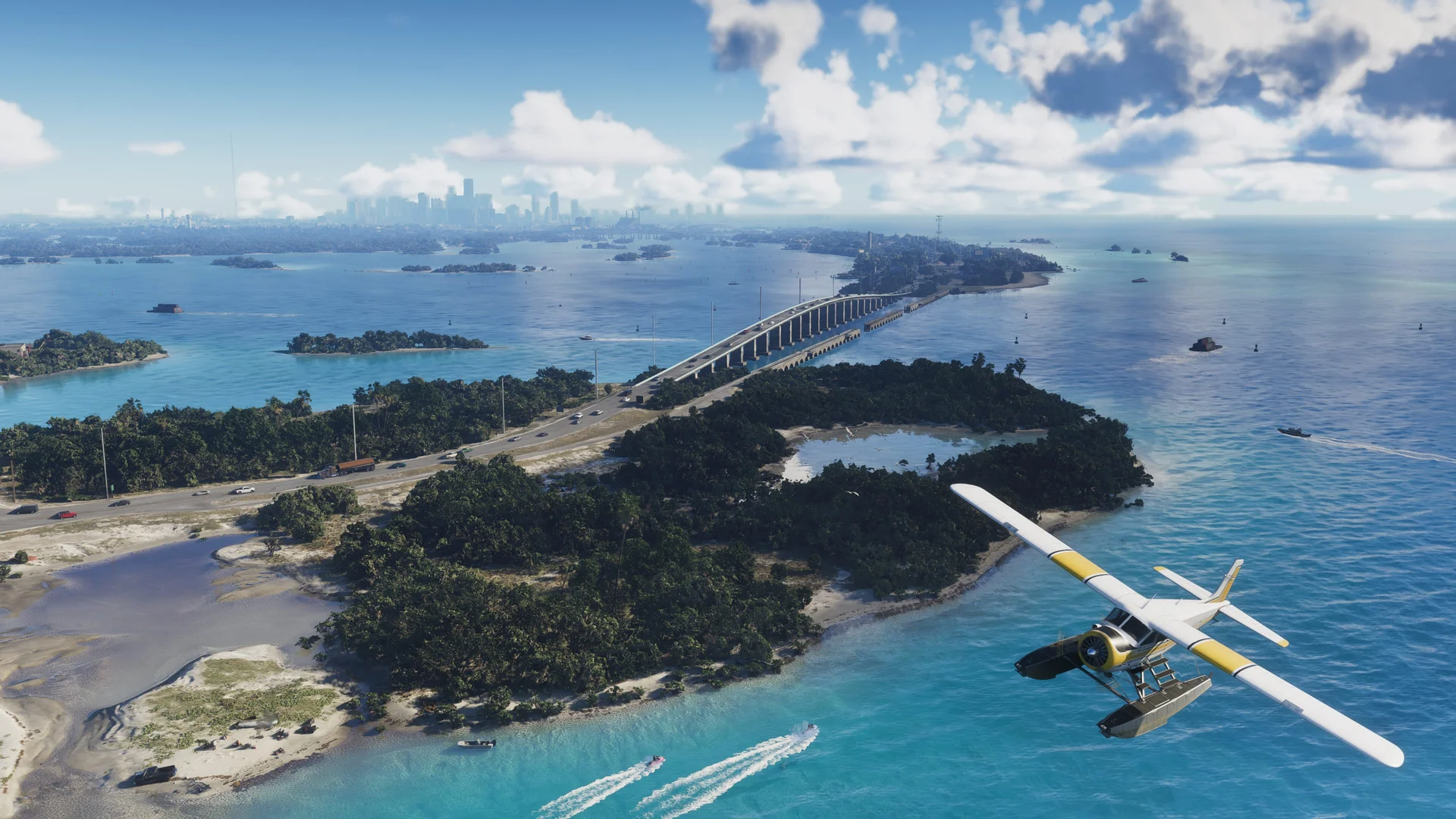
In GTA V’s story mode, the game autosaves after missions and at other key points, writing to its own dedicated slot so it never overwrites your manual saves. A spinning icon in the corner shows a save happening, and the feature can be switched on or off in the pause menu under Settings, then Saving and Startup.
Red Dead Redemption 2 works the same way. It autosaves at checkpoints, after missions, and around everyday milestones like sleeping or buying equipment, again into a single autosave file that keeps replacing itself as you play.
The expectation for GTA 6 is therefore autosave after missions and major story beats, with a visible save indicator. That is the pattern of Rockstar’s last two games — a sensible bet, and still only a bet until players see the icon spin in Leonida for themselves.
Official Rockstar Games image, via rockstargames.com
Part 3 — Manual Saves and Save Slots: The Precedent
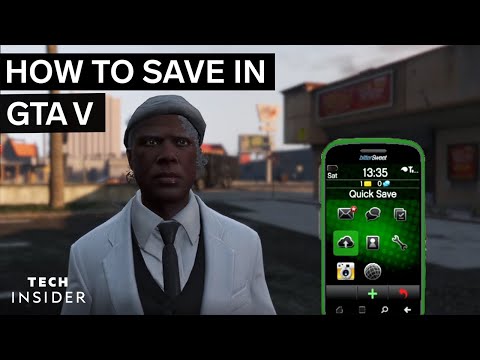
GTA V gives story players two manual options. Sleeping in a safehouse bed opens the save screen, and the in-game phone has a Quick Save option — the cloud icon — that works almost anywhere. Both let you create a new save or overwrite an old one, and both are blocked during missions or while you have a wanted level.
Red Dead Redemption 2 puts manual saving in the pause menu instead: Story, then Save Game, with 15 manual slots to fill. Saving is likewise locked out mid-mission, in combat, or with cheats active. Two different interfaces, one shared philosophy — your own saves, in your own slots, under your control.
Manual saves matter because they are the ones an autosave can never touch. Players use them before big story choices, before risky experiments, and to keep parallel playthroughs apart. With Jason and Lucia sharing one story — the setup our guide to how character switching works in GTA 6 explains — separate slots will likely be just as valuable, whatever form its save menu takes.
Part 4 — The Online Side Saves Itself
GTA Online has no save button at all. Characters, money and purchases live on Rockstar’s servers and are written automatically as you play — finishing activities, spending money, even changing outfits prompts a save, confirmed by the spinning icon in the corner.
The catch is disconnection. If your connection drops before a save lands, progress since the last successful one can be lost, which is why Rockstar Support’s advice boils down to quitting through the menus and letting the icon finish. Our fixes for GTA Online not saving progress cover what to do when that system misbehaves.
GTA 6’s online mode has not been detailed, and its saving is unannounced. But server-side automatic saving is the only model Rockstar has used for a shared online world, so expect progress you never have to remember to save — and the same golden rule about not quitting mid-save.
Part 5 — Cloud Saves Come From Your Console
Whatever GTA 6 does internally, your backup layer is the console’s. On PS5, PlayStation Plus cloud storage holds up to 100 GB of PS5 saved data per account. Turn on Auto-Sync Saved Data and the console uploads your saves when you close a game or enter rest mode — worth switching on before launch week, since individual PS5 saves cannot be copied to USB.
On Xbox Series X|S it is simpler still. Cloud saves are free, need no subscription, and sync automatically whenever the console is connected: leave a game and the save is stored on the console and in the cloud, ready on any other Xbox you sign into with the same account.
Neither system is a Rockstar feature, and neither needs GTA 6’s permission. As long as the game writes standard console saves — the only realistic scenario — your story progress gets this safety net by default. What cloud storage does not do is move a save between PlayStation and Xbox, which leads to the big open question.
Official Rockstar Games image, via rockstargames.com
Part 6 — Cross-Save and Cross-Progression: No Announcement Either Way
Two terms get blurred together. Cross-save means one save file usable across platforms — start on PS5, continue on Xbox. Cross-progression means your progress, unlocks or character carry across, even if the files themselves differ. For GTA 6, Rockstar has announced neither. Not yes, not no — nothing.
History counsels patience rather than optimism. When GTA V jumped a console generation, Rockstar offered a one-time, one-way “Upload Save Game” transfer for story saves — a deliberate migration tool, not everyday cross-save. Whether your old GTA Online progress will carry over to GTA 6 is a separate open question we track on its own page.
The practical advice is simple: pick your launch platform as if your save will live there, because today there is no promise it can move. If Rockstar announces cross-save or cross-progression before 19 November, it will be headline news — not a rumour-account footnote.
Part 7 — A Sensible Save Routine for Launch Week
Based on how Rockstar’s games have behaved — precedent again, applied with care — a few habits will protect your first Leonida playthrough. Leave autosave on. Keep at least one manual save in a slot the autosave cannot touch, and rotate a second slot before missions you suspect are risky.
On PS5, enable Auto-Sync Saved Data now so your saves reach the cloud from day one; on Xbox, simply stay signed in and connected. Never switch the console off while a save icon is spinning, and in any online mode, leave through the menus rather than closing the game mid-session.
Finally, expect this article to age quickly. The moment menus are in players’ hands on 19 November, expectations become facts — and we will update this page with the confirmed system.
Frequently Asked Questions
Has Rockstar confirmed how saving works in GTA 6?
No. There has been no announcement about autosave, manual saves, save slots or cross-save for GTA 6. Everything known comes from how GTA V and Red Dead Redemption 2 handle saving.
Will GTA 6 have autosave?
It is not confirmed, but it is the reasonable expectation. Both of Rockstar’s recent big games autosave after missions and key moments, into a dedicated slot that never overwrites manual saves.
Will GTA 6 have manual saves?
Again unconfirmed, and again likely. GTA V offered bed saves and phone Quick Save; Red Dead Redemption 2 offered pause-menu saves. Some form of player-controlled saving is the studio’s established pattern.
How many save slots will GTA 6 have?
Nobody knows. For reference, Red Dead Redemption 2 provides 15 manual save slots plus its autosave, and GTA V’s save screen works the same way — but GTA 6’s count is unannounced.
Will GTA 6 support cross-save between PS5 and Xbox?
There has been no announcement either way. Console cloud saves move within one platform family only, so plan on your GTA 6 save living on the platform you start on.
Will my GTA Online progress carry into GTA 6?
Rockstar has not confirmed any carry-over. GTA 6’s online mode is itself undetailed, so treat claims of transferred characters, money or ranks as speculation until the studio speaks.
Do I need PlayStation Plus for PS5 cloud saves?
Yes. Cloud storage on PS5 is a PlayStation Plus feature, with up to 100 GB for PS5 saved data and optional auto-sync. Local saves on the console itself work without any subscription.
Are Xbox cloud saves free?
Yes. On Xbox Series X|S, saves sync to the cloud automatically and free of charge whenever you are connected and signed in — no Game Pass subscription is required for cloud saving.
What happens if I quit while the game is saving?
In GTA Online, quitting or disconnecting before a server save completes can lose progress made since the previous one. The safe habit: wait for the save icon to disappear and leave through the menus.
When will GTA 6’s save system be confirmed?
At launch on 19 November 2026 at the latest, when players can open the menus themselves — or earlier, if Rockstar publishes official details in the final run-up to release.
The Save Icon Will Tell Us
For now, GTA 6’s save system is a shape drawn by two older games: an autosave watching your back, manual slots under your control, servers keeping the online world, and your console quietly backing everything up. It is a well-founded shape — and it stays a drawing until Rockstar colours it in.
On 19 November, the first spinning save icon in Leonida will say more than a year of speculation. Until then: autosave on, a manual slot kept safe, and cloud sync enabled. That routine has protected a decade of Rockstar playthroughs.